Enrolled, checked in and paid.
Families fill in their own forms, sign the consents and set up tuition from their phone. Each day, children are checked in with a code, handed over only to the right adult, and their family gets the day's report before dinner.
41
here now
6
rooms
$12,480
tuition paid this month
Child Care included with Plus · Cancel anytime
Everything your front office does.
No clipboards at the door. Teachers use their own phones or a tablet in the room, and families check in at a kiosk with their own code.
Enrollment
Requests from your website
Offer a spot or join the waitlist, by room
Family forms and consents signed online
Registration fee paid at sign-up
Health and immunization due dates
Check-in
A kiosk with a code for each adult
Pickup list with photos
Phone permission, recorded
Still here at closing
Monthly sign-in sheets and emergency cards
The day
Meals, naps, diapers and notes
Photos only the child's family sees
Injury emails sent at once
End-of-day report to every family
Messages to a room or everyone
Tuition
Autopay by bank or card
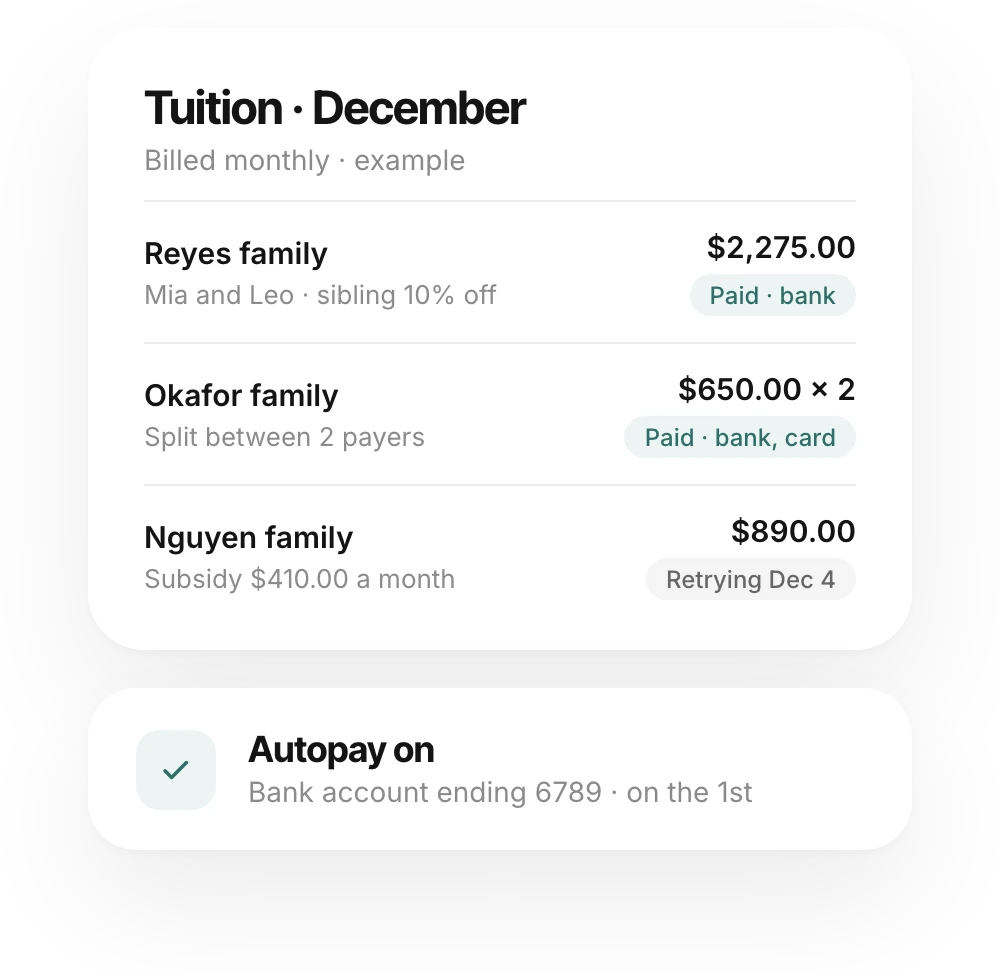
Sibling discounts, subsidies and split payers
Half days, early care and late care
Late pickup fees you bill or waive
Year-end statements for taxes
Online
Website and your own domain
Studio with an AI assistant
A family page for every household
One family, start to finish.
Here is Ana, enrolling her daughter Mia at your center. Your team steps in twice: once to offer the spot, and once to say goodbye at pickup.
8:40 pm
She asks about a spot.
Ana fills in the enrollment form on your website. It shows up as a request with two buttons: offer Mia a spot in the room for her age, or add her to that room's waitlist in the order families joined.
7:15 pm
The paperwork does itself.
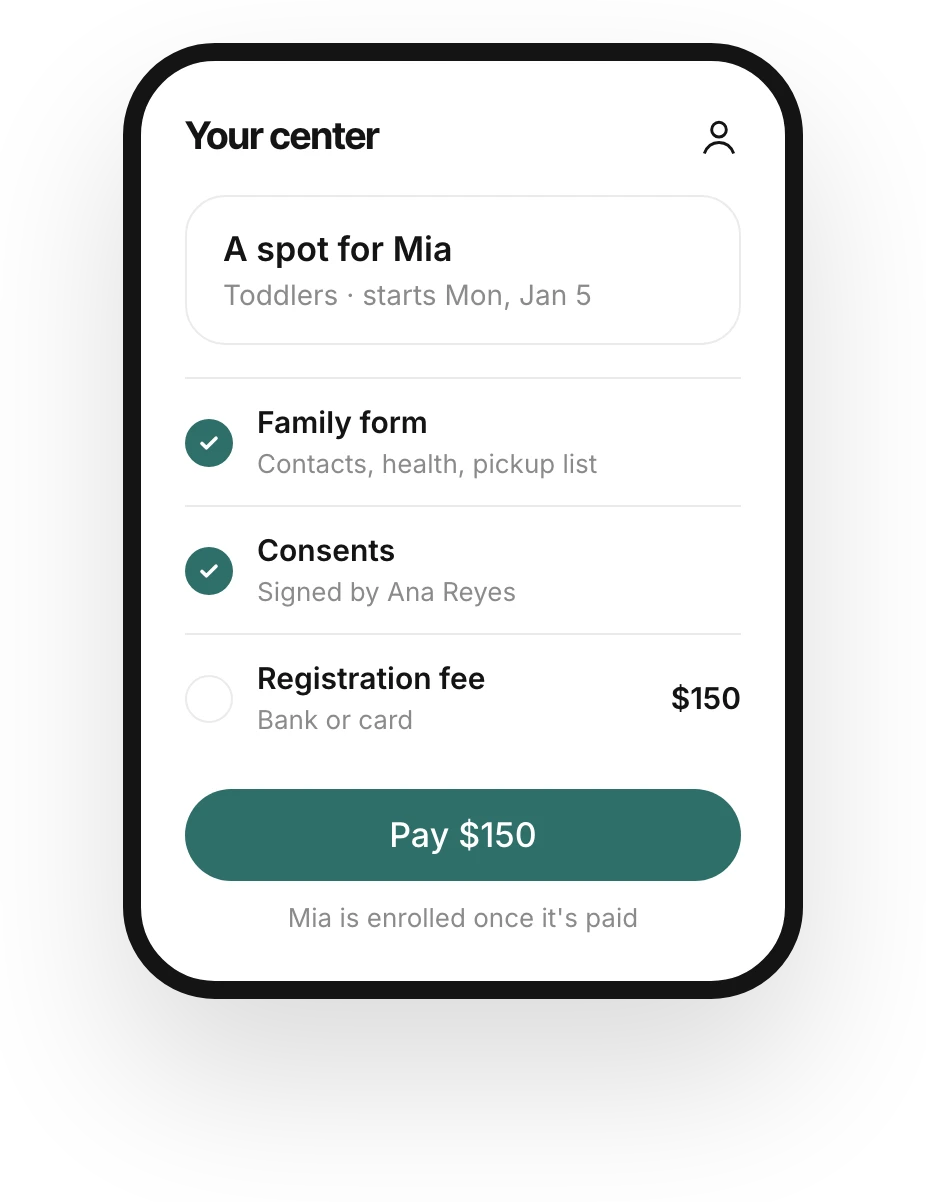
Ana fills in the family form on her phone: Mia's details, emergency contacts and who can pick her up. She signs the consents with her typed name and pays the registration fee. Once the fee is paid, Mia is enrolled, and nobody retypes a thing.
7:52 am
Checked in with her code.
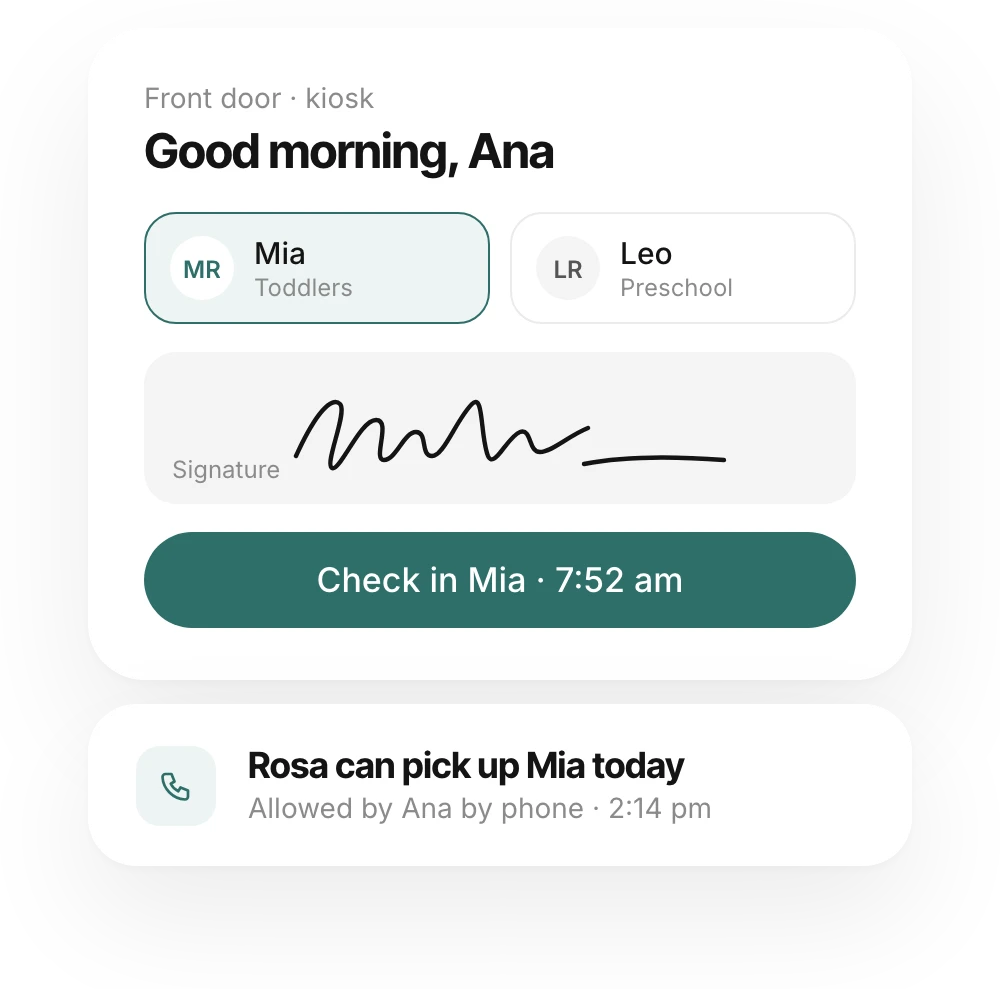
At the door, Ana types her 6-digit code on the kiosk, picks Mia and signs. Mia's room sees her arrive. Every check-in is recorded with the adult's name and the time.
5:30 pm
Grandma picks her up.
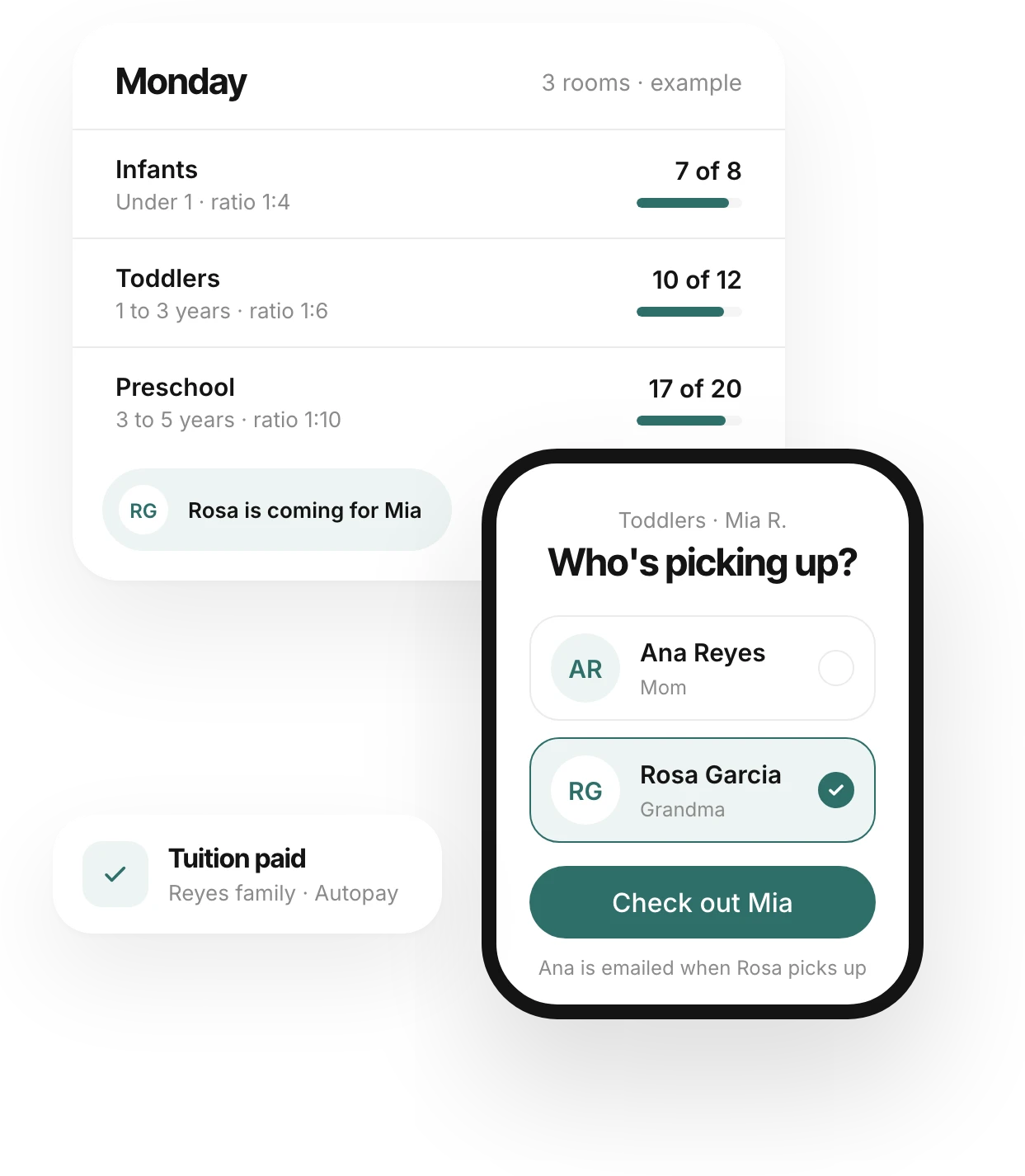
Rosa is on Mia's pickup list, so she's the one the teacher can choose, and her photo is on screen to match. Ana gets an email at once saying Mia went home with Rosa.
The 1st
Tuition, already paid.
Ana turned on autopay from her bank account. On the 1st it's paid without anyone opening anything. If a payment doesn't go through, it's retried once and then Ana gets a link to pay.
Less paperwork. More time with the kids.
From tour request to first day.
Requests from your website. Each one comes with "Offer a spot" or "Add to waitlist", and a waitlist is kept per room in the order families joined.
Families fill in their own forms. The family form writes straight to the child's record, so you never retype it.
Consents signed online. Families sign with their typed name. The exact text, name and time are kept, and they get a PDF copy. Families who prefer paper can choose it.
Paid fee, enrolled child. When the registration fee is paid, the child is enrolled and the request closes on its own.
Only the right adult.
A code for every adult. Each guardian and pickup person has their own 6-digit code. Wrong guesses slow the kiosk down but never lock out a family at the door.
Photos at pickup. Teachers can choose only the people on that child's list, and see their photo to match. Anyone marked "Not allowed to pick up" is never listed.
Permission by phone, recorded. When a guardian calls to send someone new, the call is recorded with who allowed it and when.
Guardians always know. When anyone other than a guardian collects a child, the guardians are emailed right away.
Every family knows how the day went.
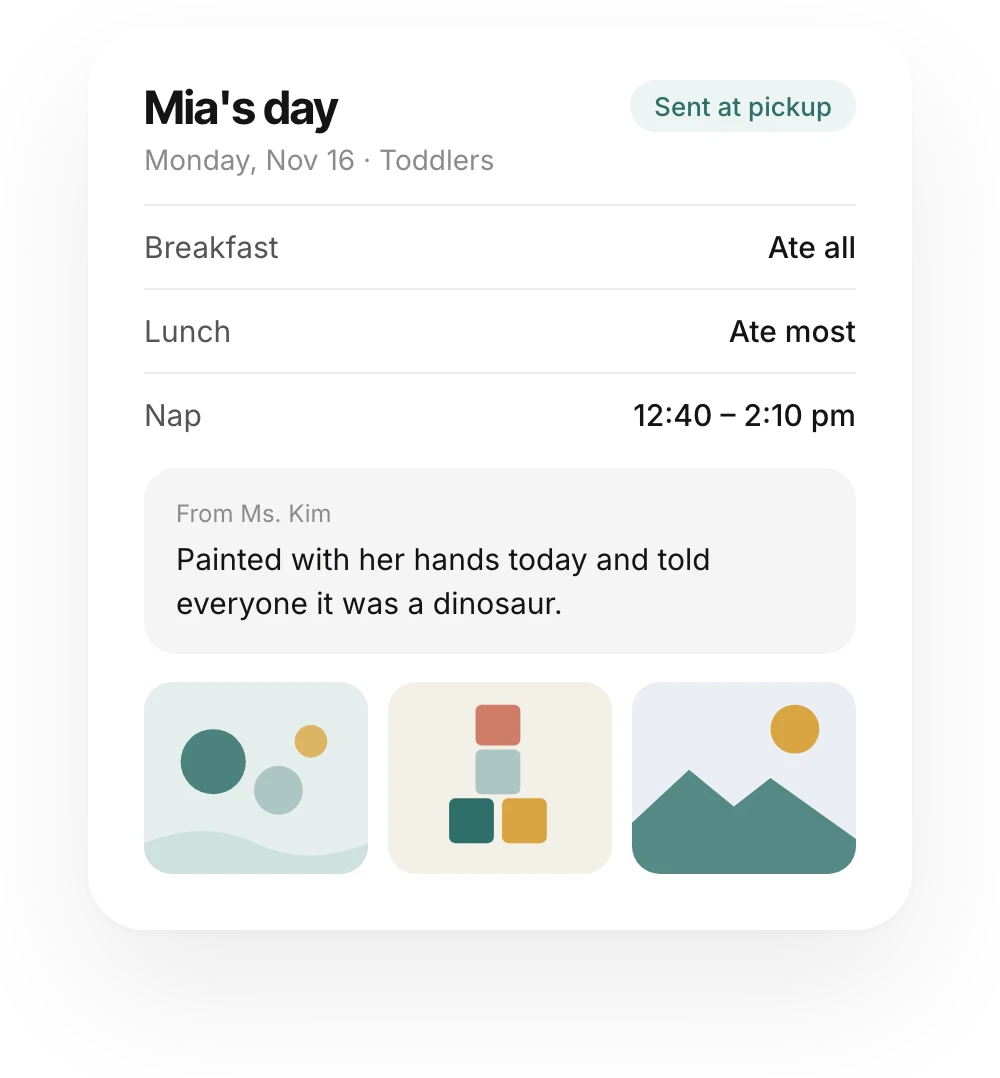
A quick log in the room. Meals, naps, diapers and notes take a tap or two on a teacher's phone or the room's tablet.
Photos for the right family. A photo reaches only the guardians of the children tagged in it. Location data is stripped, and a child without photo consent can't be tagged.
Injuries, at once. Saving an injury emails the family immediately, and the adult acknowledges it at pickup.
The day, in their inbox. At checkout, each family gets the day's report. To reach everyone, one room or one location, use Message families.
Paid on time, without chasing.
Autopay by bank or card. Families save a bank account or card on Stripe's secure page and choose autopay. Bank comes first because it costs you less.
Real-life pricing. Weekly prices per room, half days, early and late care, sibling discounts, subsidies, and families who split the bill between two payers.
No dead ends. A failed payment is retried once after 3 days and then becomes a pay link, and it shows up on Today until it's settled.
Statements in January. Each payer gets a year-end statement with your tax ID, ready for their taxes.
Simple to start. Fair as you grow.
No per-child fees.
No hardware to buy.
No app for families to download.
Your state's rules, built in.
One plan for the cleaning company and the website.
Cleaning is included in Plus at no extra cost. You pay for the plan, plus a small fee only when you get paid.
Plus
Child Care included
$29
per month
Billed monthly · one business, every location · up to 5 people
Enrollment, waitlists and family forms
Check-in kiosk and pickup list with photos
Daily log, photos and end-of-day reports
Tuition autopay by bank or card
Year-end statements for families
Full website and your own domain
Studio with an AI assistant
0.1% fee on tuition and fees
What Mia's month costs you.
Weekly tuition
$300.00
Monthly bill (52 weeks ÷ 12)
$1,300.00
Ankerspace fee, 0.1%
$1.30
You pay us
$1.30
$1.30
Stripe bills bank and card processing at its standard rate, and payments go into your center's own Stripe account. Photo storage is billed by the gigabyte each month. A contract you send out for e-signature is optional, at $1 each.
Every child accounted for.
Every family in the loop.
Set up your rooms, import your families and invite them in one sitting. Your kiosk can be ready by Monday morning.
Child Care included with Plus · Up to 5 people · Cancel anytime
Questions, answered.
How do you make sure children go home with the right person?
At pickup, a teacher can choose only the guardians and pickup people on that child's list, and sees their photo to match. Anyone marked "Not allowed to pick up" never appears. If someone new is picking up, a guardian can give permission by phone, and you record the call. Guardians are emailed whenever someone else collects their child.
Do families need to download an app?
No. Families get a link to their family page, where they see the day's report and photos, fill in forms, mark a child as off for the day and manage tuition. They can add it to their home screen like an app.
Do we need a kiosk or special hardware?
No. Any tablet or phone with a browser works. Turn on Kiosk mode for a tablet at the door, put a device in each room, or have teachers use their own phones. Devices are free and don't count as users.
Does it follow my state's licensing rules?
Pennsylvania's ratios, group sizes and document due dates are built in today, and Today warns you 30 days before a health report or immunization record is due. We add other states as centers there sign up, and we read each state's rules at the source.
Can families pay by bank, and what if a payment fails?
Yes. Families can pay from a bank account or a card, and autopay is their choice. If a payment fails, it's retried once after 3 days, and then the family gets a link to pay. You see it on Today until it's settled. You can also mark a bill as paid another way.
Do you handle subsidies?
Yes. Record each child's subsidy and the family pays the rest. Every check-in and check-out keeps the adult's name and the time, and you can download each room's monthly sign-in sheet as a PDF or spreadsheet.
Do you send text messages or live updates during the day?
Emails only for now. Injuries go out the moment they're saved, and everything else arrives in the end-of-day report at pickup.
I'm moving from another child care app. What about my families?
Export your families as a spreadsheet and upload it during setup. Children, guardians and rooms come in together, and siblings are matched into one family. You see a preview before anything is saved, and then you invite every family in one step.