Built for the anchors of local communities
One link.
Booked, paid,
reviewed.
Put one link in your bio. Customers book a time, ask for a price, pay you, and leave a review — and every one of them lands in the same customer list.
Set up in one sitting · Up to 5 people · Cancel anytime
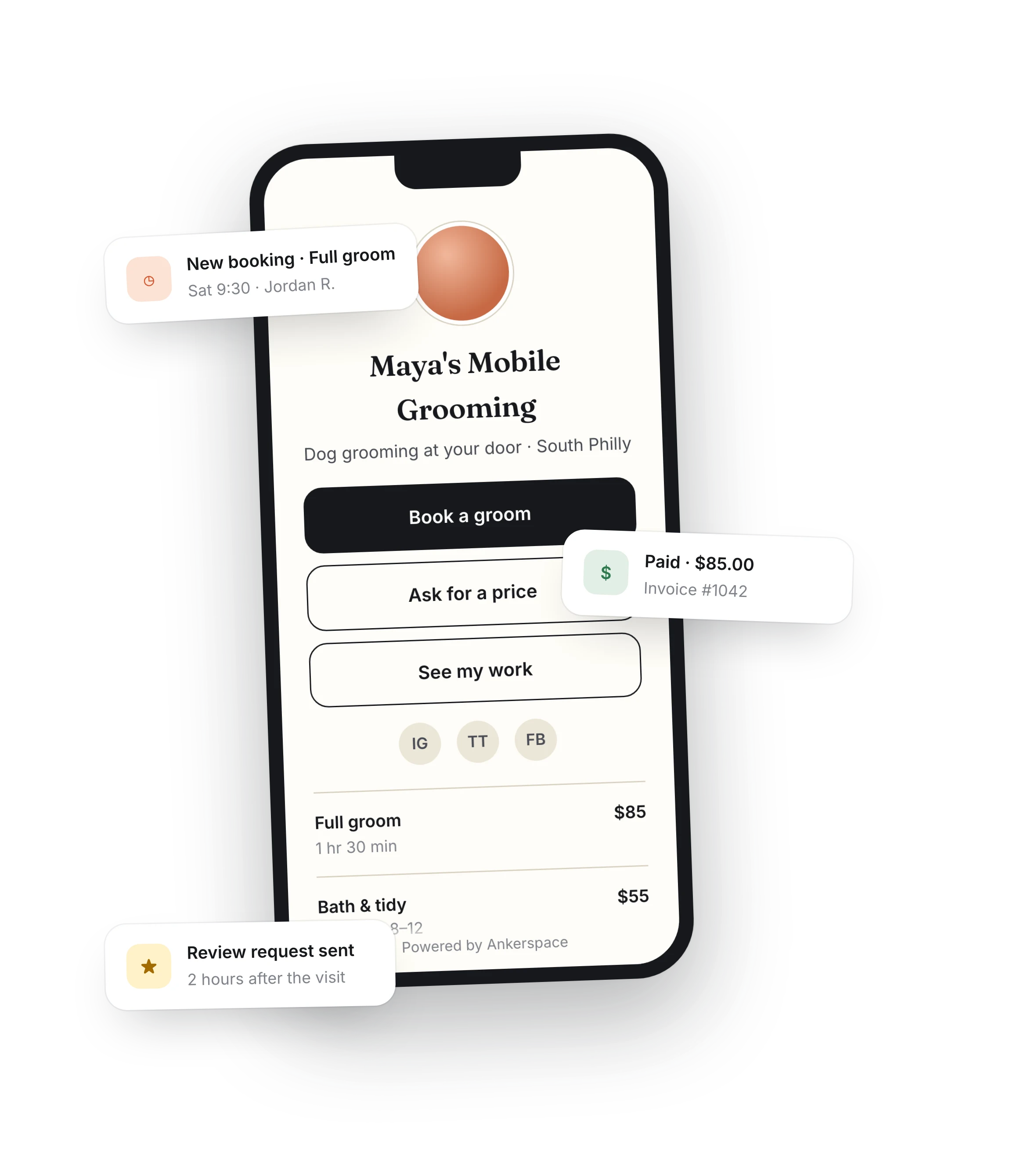
Your link-in-bio page
Online booking with reminders
Quotes & invoices with card payments
Review requests on autopilot
One customer list for all of it
The problem
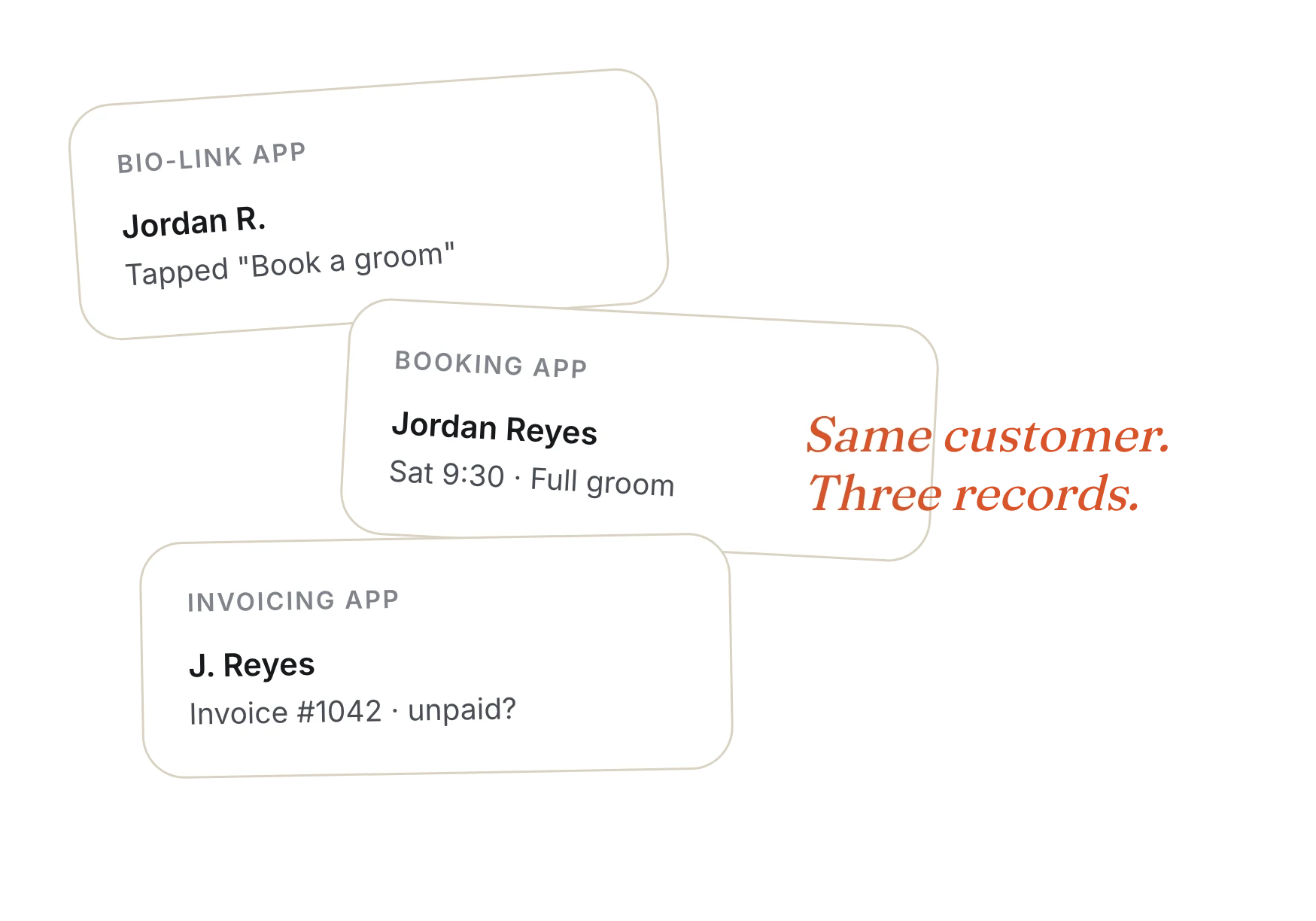
Three apps. Three customer lists. One of you.
A bio-link app for your page. A booking app for your calendar. Something else for quotes and invoices. Every customer ends up in three places, and you're the one keeping them in sync.
Essentials replaces the stack with one link and one place to look.
How it works
From a tap on your link to money in the bank.
Book & Get Paid comes with Essentials. One guided setup asks for your services, your hours, and your page — then it's live.
01
They tap your link
A clean one-page site with your photo, your links, your socials, and your services with prices.
QR code included
02
They book — or ask for a price
Pick a time or an arrival window. Confirmation with a calendar file, plus a reminder 24 hours before.
Deposits optional
03
You get paid
Take payment at booking, or send the invoice after the visit. Quote a request in one tap from your service list.
Cards via Stripe
04
They leave a review
A friendly ask goes out two hours after the job or when the invoice is paid. Never twice in 90 days.
Links to your Google reviews
What's included
Everything a one-person shop needs. Nothing it doesn't.
🔗
A page you edit yourself
Click on any text to change it. Hero, links, services, booking, testimonials, contact — the sections that actually get you booked.
📅
Online booking
Set start times or arrival windows, how many jobs fit each window, and your hours. Customers book without calling.
✉️
Emails that send themselves
Confirmations and 24-hour reminders go out on their own. Customers reply to change or cancel — straight to you.
🧾
Quotes, invoices, payments
Fixed prices, hourly rates, deposits, or quote-after-the-visit. Invoices go out when booked and track themselves to paid.
⭐
Review requests
Paste your Google review link once. Skip any job with one tap. Customers can opt out, and we respect it.
👥
One customer list
Bookings, price requests, invoices, and reviews all attach to the same customer. Bring up to 5 people onto your team.
Pricing
Less than a coffee. Every month.
A bio-link app for your page. A booking app for your calendar. Something else for quotes and invoices. Every customer ends up in three places, and you're the one keeping them in sync.
Free
Try Ankerspace and keep your customers organized.
$0
/month
Customer list
Invoicing
1% platform fee on paid invoices
Booking page & links
Book & Get Paid
Essentials
For solo pros and small crews who live in their bio link.
$5
/month
Your booking page with links & QR code
Book & Get Paid: booking, quotes, payments, reviews
Owner editor — click to change anything
Basic page analytics
Up to 5 people · 1 business
0.1% platform fee on paid invoices and payments
Plus
For businesses that want a full website and room to grow.
$49
/month
Everything in Essentials
Full multi-page website & blog
Studio — the pro builder
Full analytics & email marketing
Add-ons and more businesses
10X
Lower platform fee than Free. On Essentials, Ankerspace takes 0.1% of what your customers pay — $0.10 on a $100 job, instead of $1.00. Stripe's standard card processing fees apply separately.
Prices in USD. Billed monthly. Essentials is one business and doesn't include add-ons — upgrade to Plus anytime and it takes effect right away.
FAQ
Questions, answered.
Is this a website or a link-in-bio page?
Both, in the way that matters: it's a single page at your own link with your photo, buttons, socials, services, a booking form and a price-request form. If you later want more pages or a blog, Plus gives you a full website.
Do I need Stripe?
Only to take payments. Free services and quote-after-the-visit work without it. To charge a fixed price, an hourly rate, or a deposit, connect Stripe during setup — it takes a few minutes.
What does the 0.1% fee cover?
It's the Ankerspace platform fee on invoices your customers pay through Ankerspace. Stripe charges its own processing fee on top, the same as anywhere else you take cards.
Can my team use it?
Yes — up to five people can work in your Essentials account, all looking at the same calendar, requests and customers.
What happens if I outgrow it?
Upgrade to Plus from Billing and it applies immediately. Your page, bookings, customers and invoices all stay right where they are.
Does my page say "Powered by Ankerspace"?
On Essentials, a small footer links back to Ankerspace. It goes away on Plus.
Ankerspace Essentials
Your whole front desk, behind one link.
Up to 5 people · 1 business · Cancel anytime
© 2026 Ankerspace. All rights reserved.